
Choose ride data that explains your cycling video.
A steep trail can look flat on camera. A quiet stretch of road can hide a hard effort. Ride data overlays add the missing context: speed through a turn, gradient on a climb, or power while the pace barely changes.
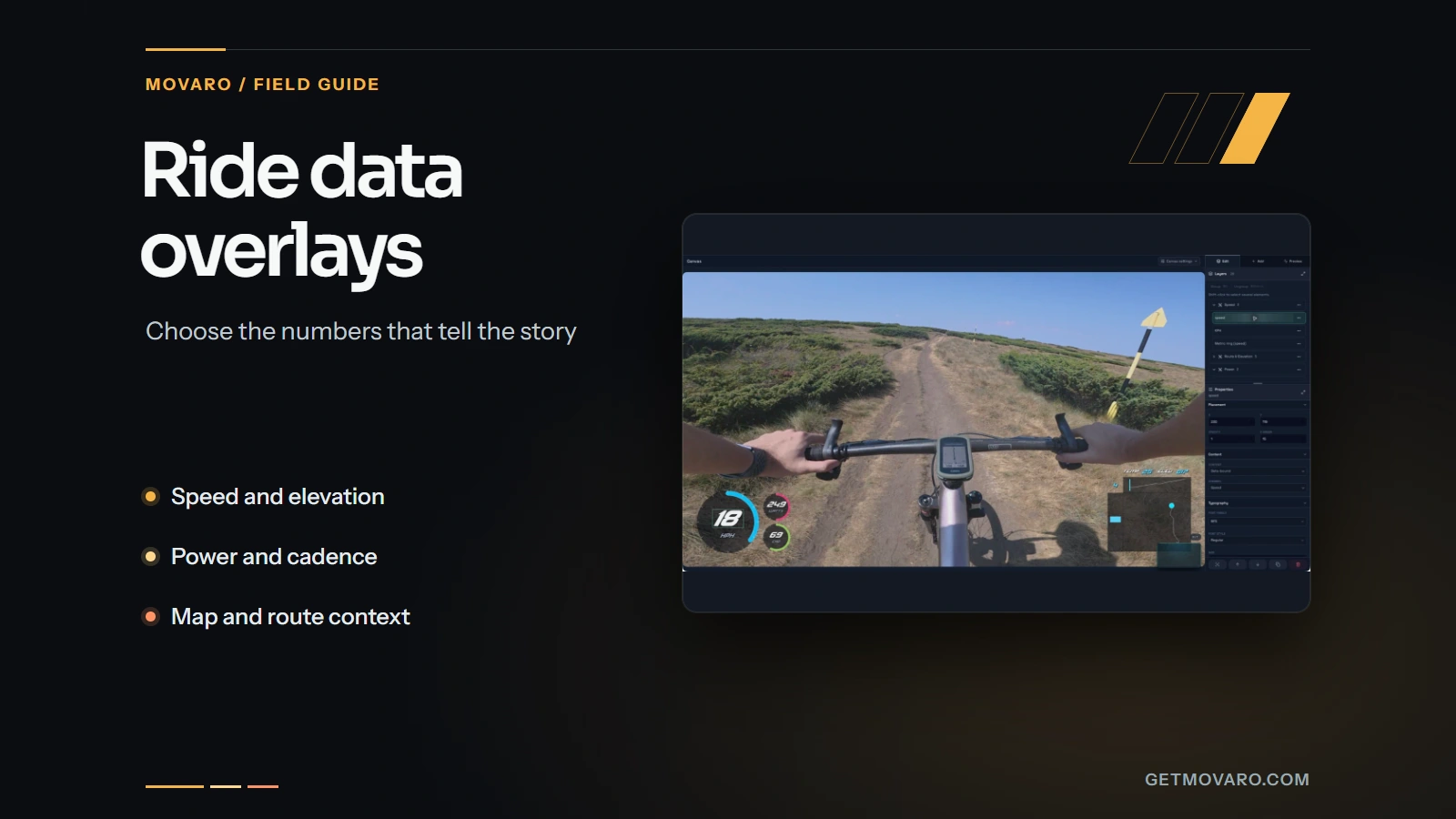
Keep the original recording from your ride.
A ride data overlay puts recorded cycling measurements on video. Film with your camera while a bike computer, watch or phone records the activity. The two recordings can come from different devices, provided their timing covers the same part of the ride.
If you want power, heart rate or cadence, check those sensors before setting off and keep the original activity file afterward. FIT and TCX can carry those channels. GPX commonly supplies position, timing and altitude, but its contents vary with the export. Movaro’s Strava connection can include heart rate, cadence and power when Strava supplies those streams. Check the imported channels, and use the original file if a needed measurement is missing.
Bring the recording into Movaro by importing a local activity file or connecting an activity from Strava.
Pick the question the footage leaves unanswered.
Give each readout a job. On a climb, gradient explains the terrain and power explains the recorded effort. On a descent, speed and route position may tell the viewer more than a row of sensor values.
| Sequence | Useful starting pair | What it explains |
|---|---|---|
| A climb | Gradient and speed | How the slope changes while you gain height. |
| A descent | Speed and a route map | Changes in pace and position through the turns. |
| An interval or acceleration | Power and cadence | Recorded output and pedaling rate, when both sensors are present. |
| A longer route edit | Distance and a route map | Where each clip belongs in the wider ride. |
Speed is useful even when the camera feels fast.
Wide-angle footage and camera movement can make pace hard to judge. A modest speed readout helps a viewer compare two sections. Keep the units visible and leave room for the largest value the recording reaches.
Elevation and gradient answer different questions.
Elevation tells you the height at a point. Gradient describes how steep a section is. An elevation profile can show where a climb sits in the ride, while a gradient readout explains the section currently on screen. Both need usable altitude data; noisy altitude can make the slope readout distracting.
A Slope Indicator can show the grade with a Cycling (Road), Cycling (MTB), Runner or Skier figure above a tilted slope while the percentage stays upright. The static figure is included in Free; Creator and above can animate it. An elevation profile can also fill the area beneath its line to make the terrain silhouette easier to follow.
Race position adds context to an overtake.
With Creator, Studio or Founder, open Tools → Race position to set your starting position and record passes while you watch the footage. Review the count, then use Display to style and place it directly on the preview. You can show a text label such as “Leading group” while the numeric position is unknown. The display updates automatically and follows the original race moment through cuts, highlights and replays. Counting remains manual.
Ghosts compare recordings on the same course.
Open Tools → Ghosts to add up to five shared GPX, FIT or TCX recordings or past efforts from your connected Strava account. Creator, Studio and Founder can show the riders on the route and elevation profile, or compare their time and distance gaps in a table, leaderboard, head-to-head panel or gap bar. Choose Same event or Past effort. Movaro lines the recordings up automatically; check each rider's timing and course match in the Align step, especially on repeated laps. Standings describe the recordings you added, and gaps are unavailable where the recordings do not cover the same course.
Power, cadence and heart rate are separate measurements.
Power is recorded in watts, cadence in revolutions per minute, and heart rate in beats per minute. Use the channel that answers the question in your edit. A rider can coast downhill at speed with little pedaling, so speed alone does not describe their effort. Do not treat an absent sensor reading as zero.
Leave the riding visible.
Build the layout on a representative frame, then preview it over changing scenery. A number that looks clear against a dark forest can disappear against sky, pale gravel or a jersey. Judge contrast across the clip, not only on the frame where you placed it.
Text backgrounds and outlines help readouts stay visible as the scenery changes. In the layout editor, double-click ordinary text to edit it on the canvas; double-click data-driven text to edit its label. Text and number fields update the preview as you type.

- Keep related values together. Put a unit close to its number. Group speed with its gauge rather than scattering the parts around the frame.
- Protect the subject. Avoid the rider, upcoming corner and the area you want people to watch. A corner is useful only when important action does not occupy it.
- Check the actual output shape. A portrait crop changes both the visible subject and the room available for data.
- Use a graph for a trend. Add it when change over time helps explain the sequence. Graph elements require a paid plan.
For a longer edit, keep units, text size and the position of recurring metrics consistent. Viewers should be able to glance at speed without finding it again after every cut. Browse cycling layouts for a starting composition, then adapt it to the footage.
For route and elevation maps, start with a preset in Look, then adjust the colors, line, panel and marker. Every map and profile look is included on every plan. Style the completed and remaining parts of the route separately, and choose the marker’s size, shape and outline so the current position stays clear. If you use Ghosts, you can also adjust the participants’ markers and labels.
Build and preview the layout in Movaro.
- Choose the activity first. Start a project with a local GPX, FIT or TCX recording, or a Strava activity. Select the correct session when the file offers more than one.
- Check the range and add footage. Preview and optionally trim the activity, then add videos. You can also continue without videos to make an overlay for the activity itself.
- Choose a layout in Overlays. Check that its elements match the channels present in your recording, then choose Edit layout to adjust position, size and appearance.
- Watch the live preview. Overlays update automatically as you edit. Play a short section and check timing and legibility before editing the whole ride.
Then trim and arrange the clips on the timeline, and add music, titles and transitions if the video needs them. The first-video walkthrough covers the basic editing flow; the export comparison explains Timeline, Clips and Overlays for another editor.
Watch more than the first few seconds.
Check a clear turn or junction near the start, then another recognizable place later in the recording. A route marker reaching both at the right time is more useful evidence than two matching clock displays.
If the alignment is wrong, use Tools → Sync video and route. Match a recognizable moment in the video with the same moment on the route, then review Where to apply the offset. Choose Project when the correction should affect every video, or apply it only to videos selected with the list checkboxes. Overlays refresh automatically after Apply offset. Check another point later in the recording. The step-by-step sync instructions explain the controls.
Changes typed into the project-wide offset field in Overlays take effect when you choose Apply or press Enter; Revert discards an unapplied edit.
If a value jumps or disappears
Inspect the activity and the selected session first. GPS gaps, recording pauses and missing sensor samples need different fixes from a clock offset. If the channel is absent throughout, choose another recorded source or remove that element. If it is wrong only after a pause, inspect that part of the activity and footage rather than repeatedly adjusting the entire project.
If the preview looks good but the export feels crowded
Open the exported file at its intended viewing size. Check units, labels and map detail, then reduce the layout if those compete with the riding. For an indoor recording without GPS, use the available sensor metrics and omit the route map.
Try it with a short clip.
Import your footage and activity, check the timing, and make an export. Movaro is available for macOS, Windows and Linux.
Free includes timeline editing and exports, manual highlights, basic metrics, maps, manual sync, colors, gradients, icons, arcs, formatting, elevation fill and static slope figures at 3 fps overlay refresh. Creator adds graphs, images, compass, animated figures, race-position tools, Cutaways and shared overlay presets through 60 fps. The video frame rate is separate.
Download Movaro