4K exports, faster than real time
An 8m 30s 4K ride exported in 2m 32s. Full-video and transparent-overlay timings from seven tested devices, plus a DaVinci Resolve comparison.
 Georgi Kostadinov Founder
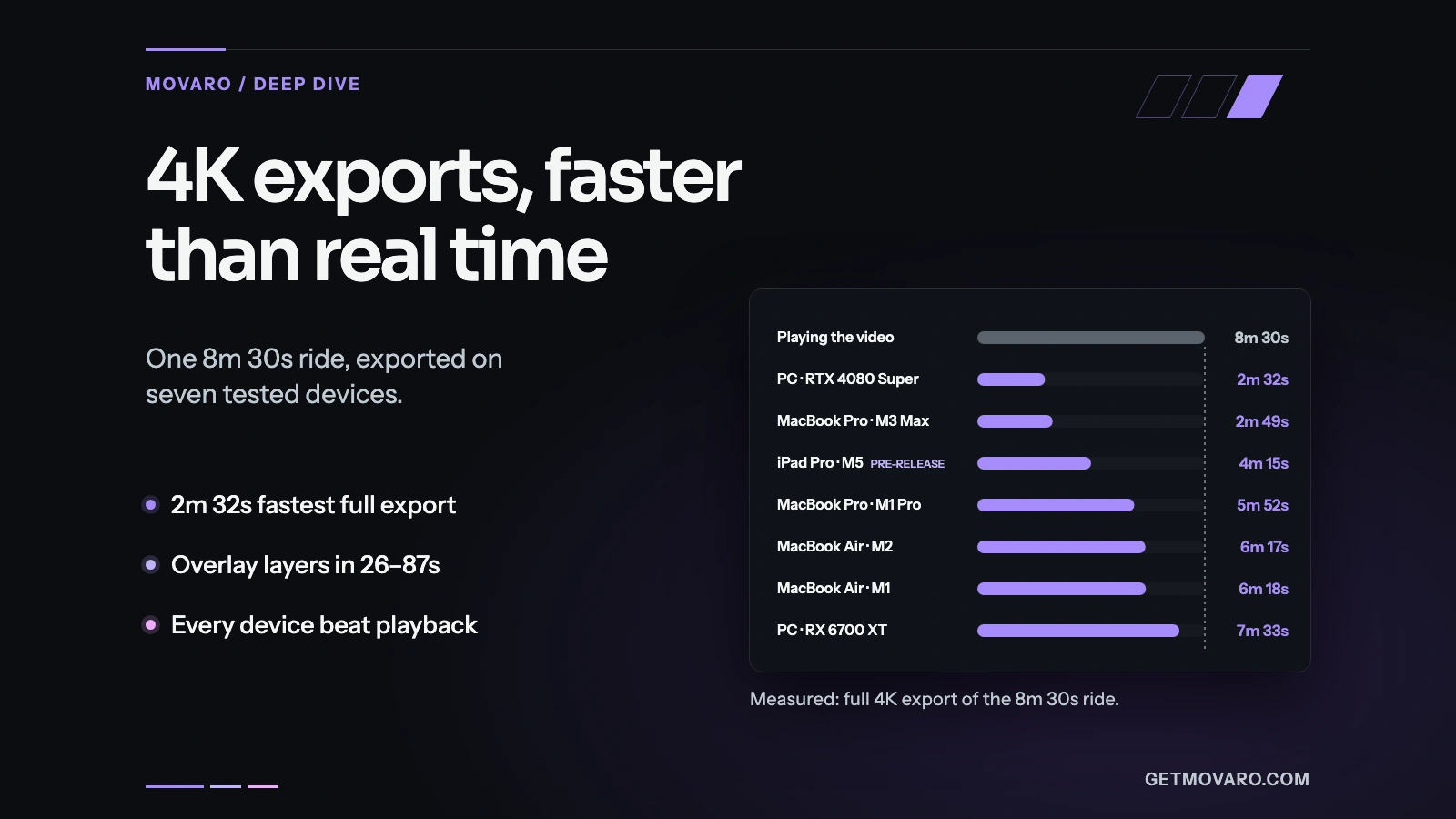
Movaro exported an 8-minute-30-second 4K ride in 2 minutes 32 seconds on a Windows PC with an NVIDIA RTX 4080 Super, and in 2 minutes 49 seconds on an M3 Max MacBook Pro. Those are finished videos: the footage and the telemetry overlay rendered together into one file.
We timed the same three projects on seven devices, from an M1 MacBook Air to a pre-release build on an M5 iPad Pro. On every one of them, the complete 4K export was done before the video would have finished playing.
Every device beat playback
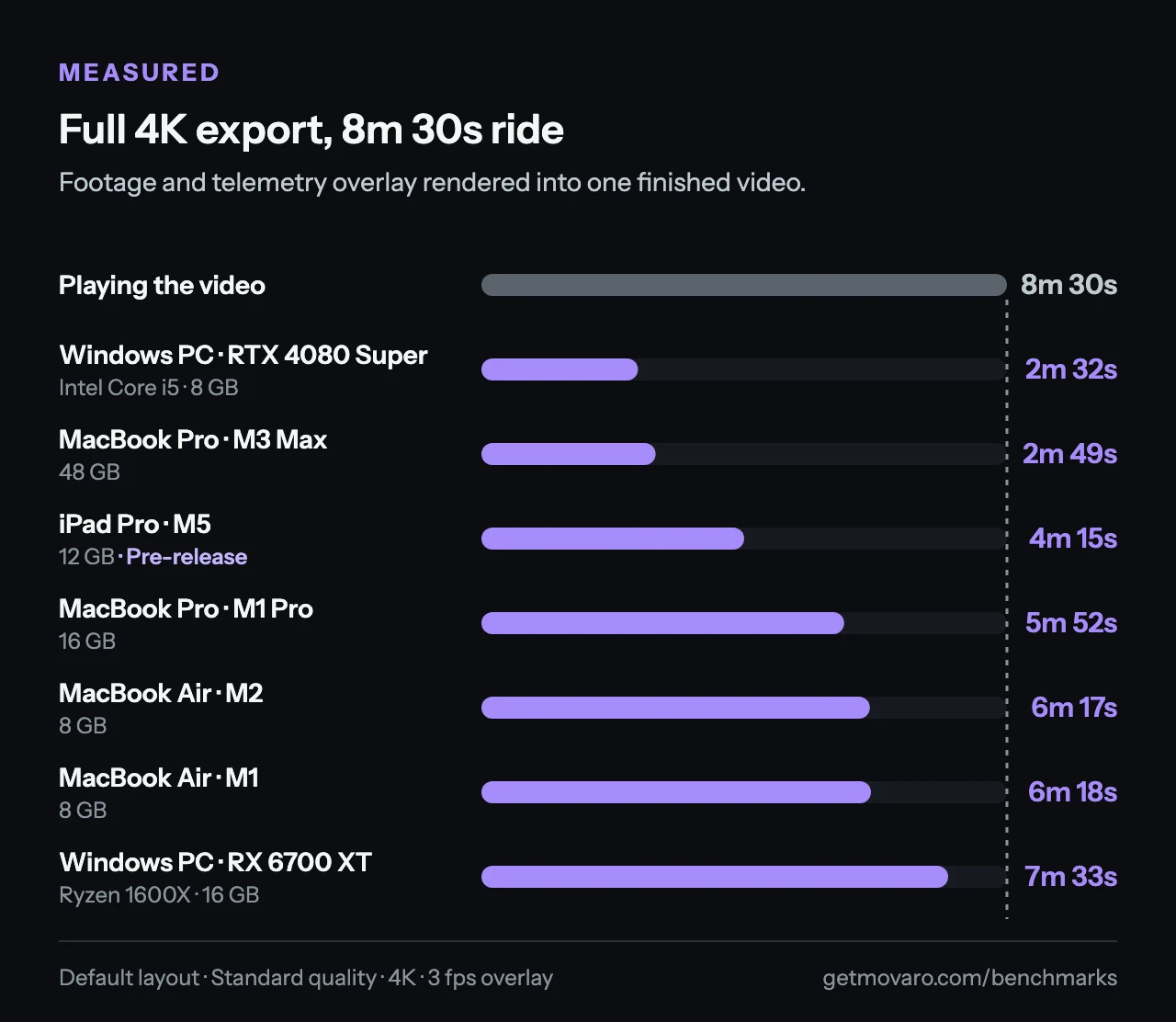
The slowest result in the set, 7m 33s on a Windows PC with an AMD Radeon RX 6700 XT and a Ryzen 1600X, still finished almost a minute inside the running time. Both MacBook Air models took a little over six minutes, and the M1 Pro MacBook Pro just under six.
| Tested device | Full video | Overlay only |
|---|---|---|
| Windows PC · RTX 4080 SuperIntel Core i5 · 8 GB memory | 2m 32s | 47s |
| MacBook Pro · M3 Max48 GB unified memory | 2m 49s | 26s |
| iPad Pro · M512 GB unified memory · pre-release build | 4m 15s | 40s |
| MacBook Pro · M1 Pro16 GB unified memory | 5m 52s | 1m 07s |
| MacBook Air · M28 GB unified memory | 6m 17s | 1m 26s |
| MacBook Air · M18 GB unified memory | 6m 18s | 1m 27s |
| Windows PC · RX 6700 XTAMD Ryzen 1600X · 16 GB memory | 7m 33s | 1m 05s |
Transparent overlays in under a minute and a half
Movaro can also export the telemetry on its own, as a transparent video layer you place over the footage in another editor. For the same 8m 30s ride, that took between 26 seconds on the M3 Max and 87 seconds on the M1 MacBook Air.
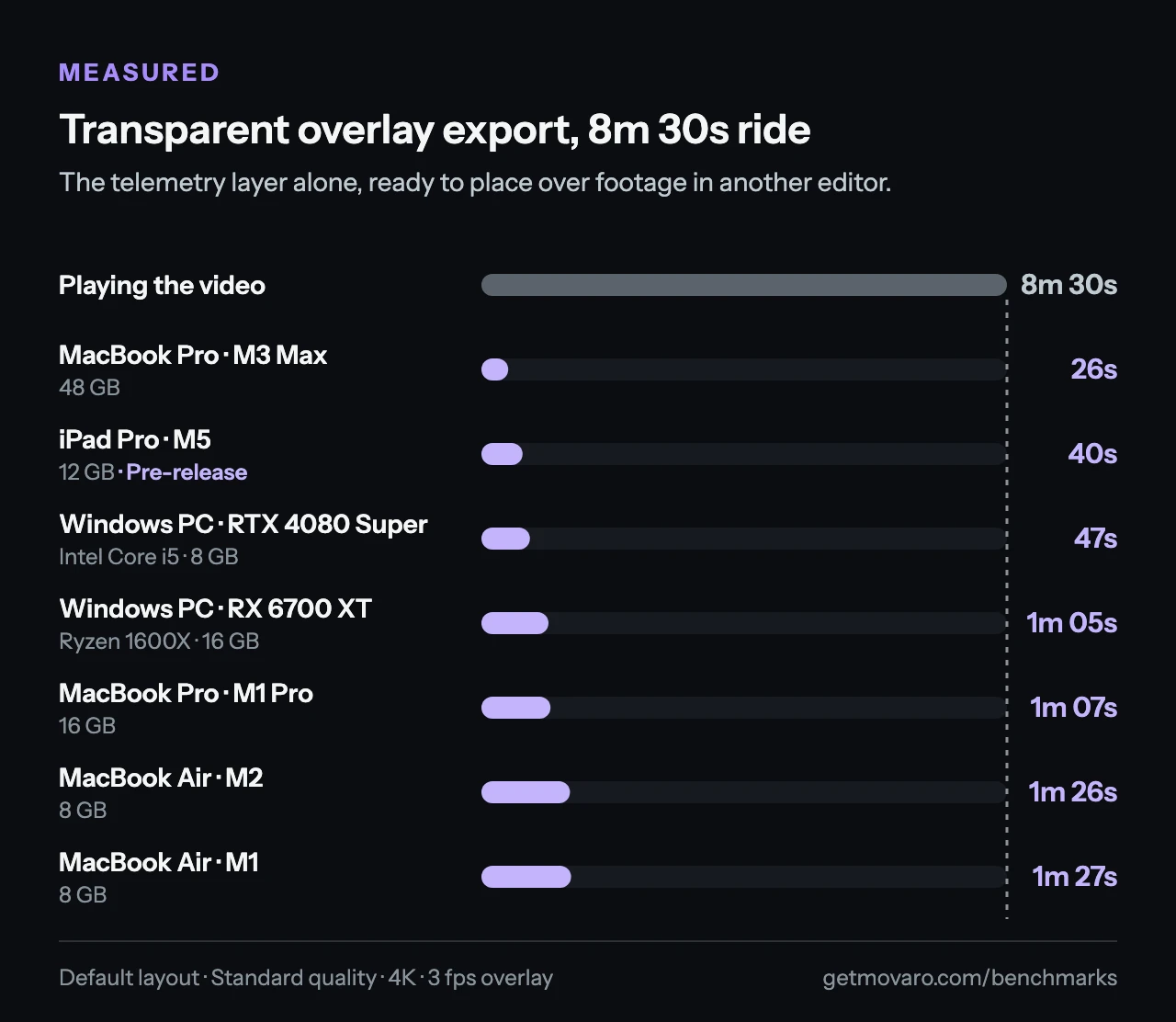
This is a smaller job than a finished video. The file holds only the changing stats, and your editor handles the footage and the final export. That's why the overlay results rank the machines differently: the M3 Max is fastest here, while the RTX 4080 Super PC leads on full videos. If you already edit in another app, the guide to Movaro overlays in your video editor shows how to bring the layer in.
Against DaVinci Resolve
On the M1 MacBook Air, the three projects were also exported in DaVinci Resolve. Movaro took 8m 22s for all three; Resolve took 11m 56s. That's 30% less export time, and on the longest ride Movaro finished 2m 52s sooner.
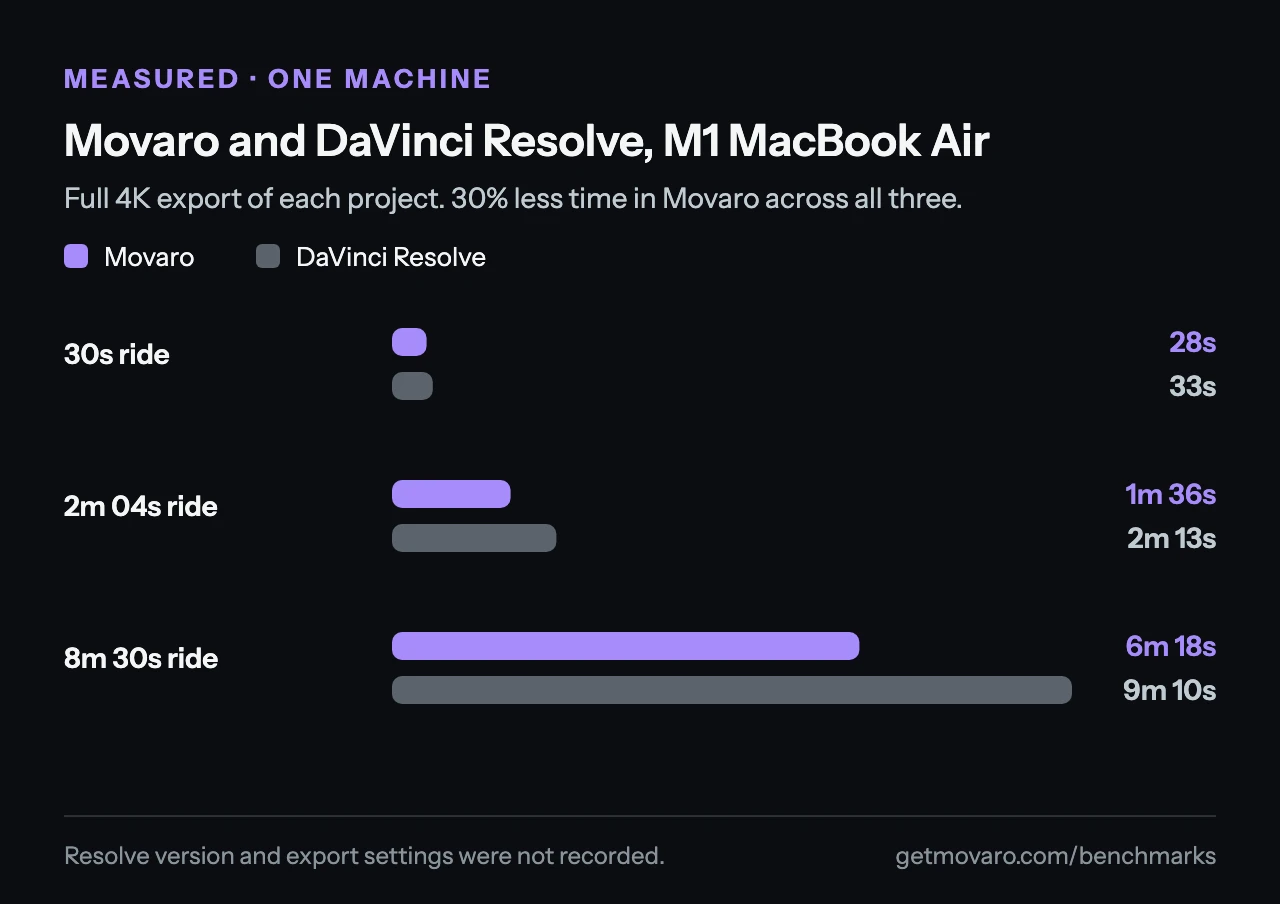
Treat this as context rather than a controlled comparison. It covers one machine, and the Resolve version and export settings weren't recorded with this benchmark set.
How we tested
Each device exported three projects: 30 seconds, 2 minutes 4 seconds and 8 minutes 30 seconds. All used the Movaro Default layout, Standard quality and 4K output, both as a full video and as a transparent overlay. The overlay was drawn at 3 fps, which sets how often the telemetry layer updates; the footage keeps its own frame rate.
Speeds are weighted across the three projects: total source duration divided by total export time, so the longer projects count for more. Full videos ran at 1.12× to 3.3× real time and overlay-only exports at 6.3× to 19.5×. For the M1 MacBook Air, 664 seconds of source video took 502 seconds to export as full videos, about 1.3× real time.
The iPad Pro results come from a pre-release build. Movaro runs on Mac, Windows and Linux today, and the download page has current availability. The benchmarks page lists every timing for all three projects, with average throughput and the hardware details.
What to expect from your footage
These are elapsed times for this footage and these settings, not a guarantee for every project. Codecs, layouts and resolution change the amount of work; power mode, temperature, cache state and other running apps change how fast it gets done. The results don't show run-to-run variation either, so a small gap, like the single second between the two MacBook Air models, says more about this project than about the machines.
If you've been waiting to see your own footage with telemetry, Movaro can export the finished video or hand you a transparent layer for the editor you already use.
Your footage is waiting.
Put your last ride, run or ski day on the video tonight. Free.
Georgi Kostadinov
Founder at Movaro. Building tools for adventurers who want to share their stories.