Movaro is here
Movaro brings action camera footage and activity data into one editor. Add the route, speed or elevation that helps tell the story of what you filmed.
 Georgi Kostadinov Founder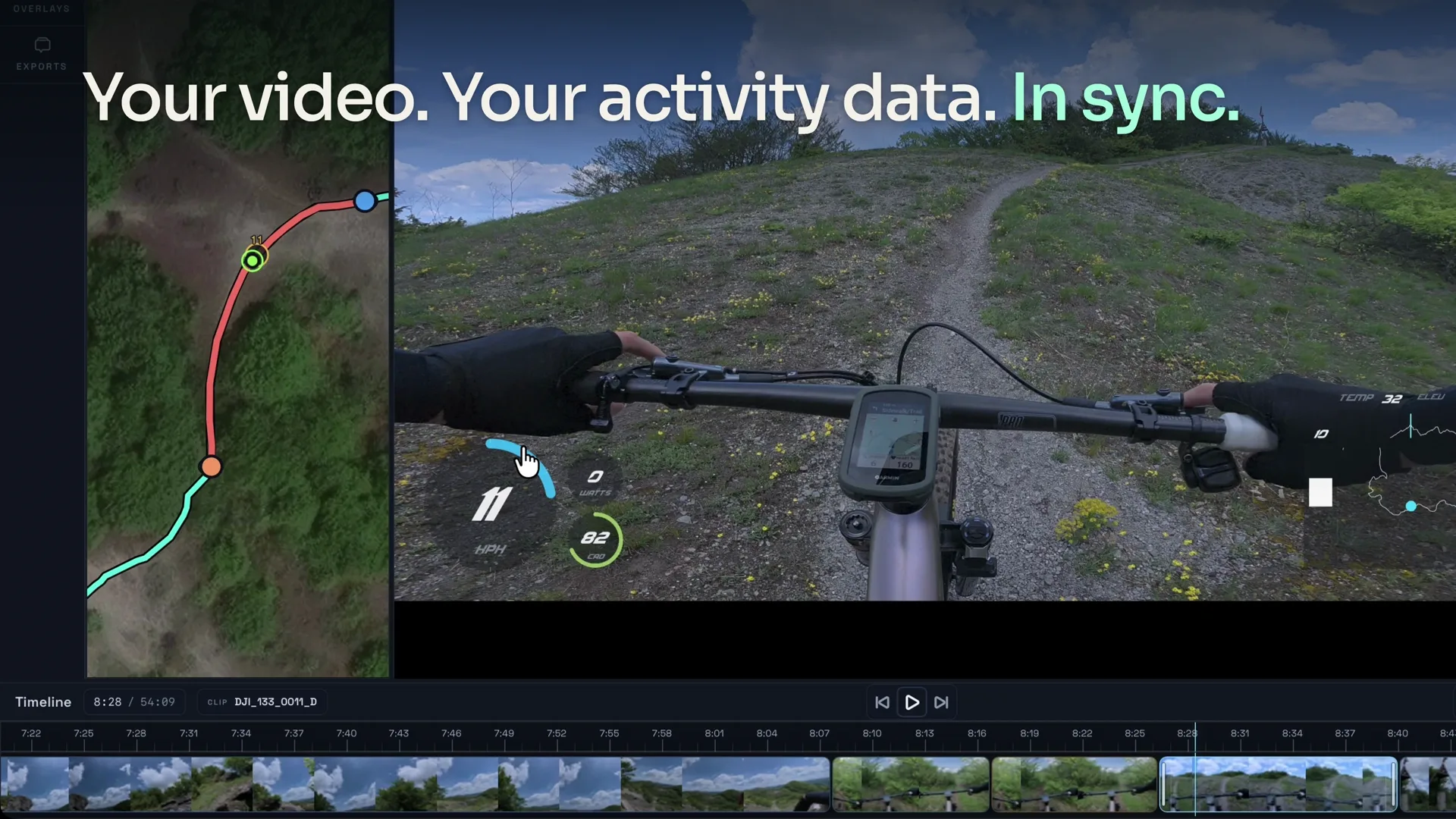
We are introducing Movaro, a desktop editor for adding activity data to action camera footage. Bring in your video and a recording of the activity, then add speed, route, elevation and other stats to the parts you want to share.
A steep hiking trail can look almost flat on camera. A ski clip might capture the turns but leave you wondering how fast you were going. Recorded data gives that footage some context: where you were, how you were moving and what changed along the way.
Music: “Neon” (No Melody) by Scott Buckley, under CC BY 4.0. Excerpted, faded, equalized, loudness-normalized and mixed with original footage sound.
Bring your footage and activity data together
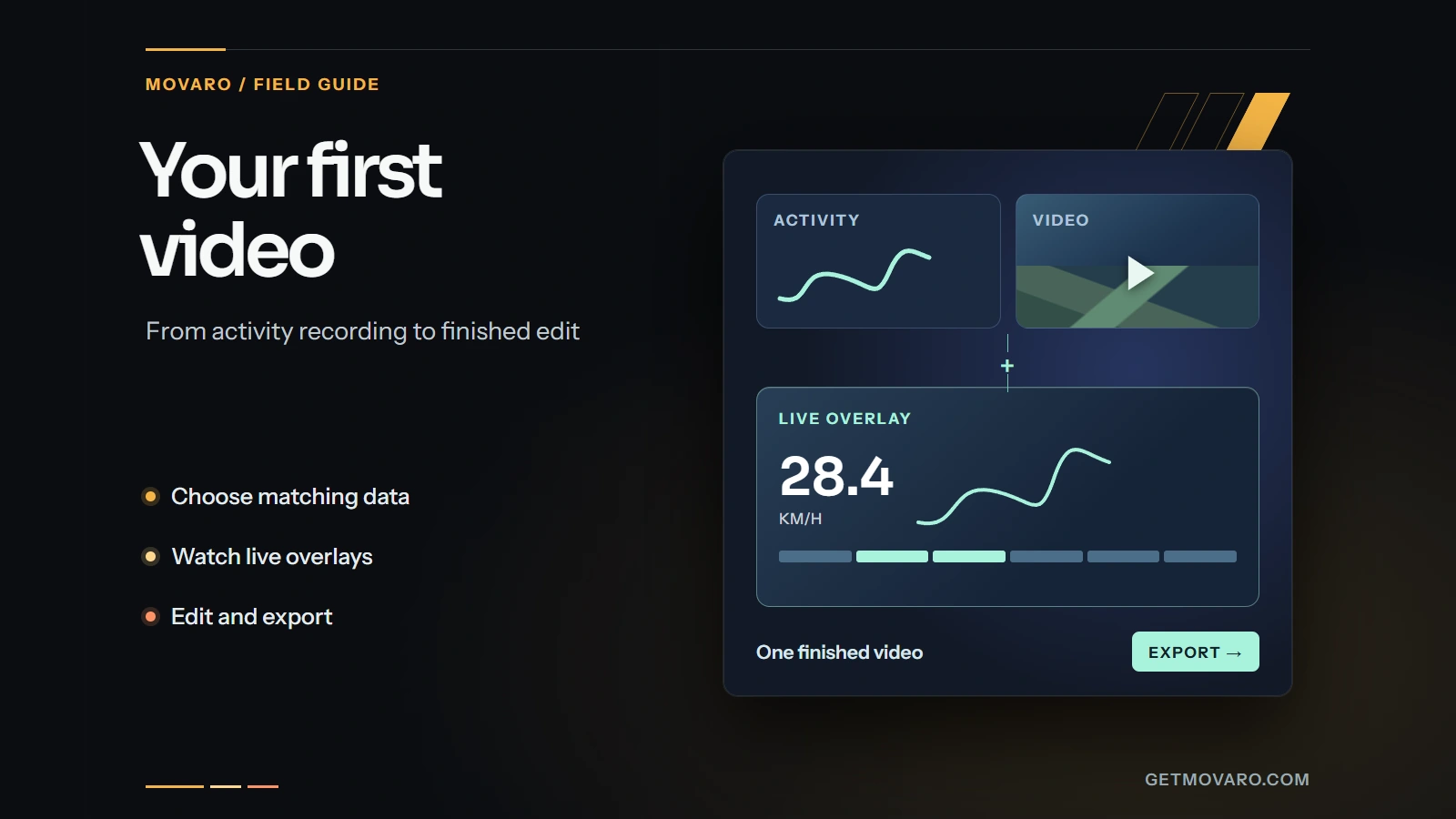
Start with footage from your camera and the activity recorded on the same outing. You can import a GPX file with route and timestamp data, or connect Strava and choose an activity with GPS data. Movaro uses the timing information to help line the two up. You can then preview the footage alongside the data and adjust the sync if it needs a correction.
Check the timing before choosing colors or arranging overlays. Find a moment you can recognize in both recordings, such as setting off after a pause. If the speed rises while you're still standing still, adjust the sync and play that section again. Camera clocks and activity recordings don't always agree; a short check now can save you exporting a video with the numbers arriving late.
Once the timing looks right, choose the parts you want to keep. The timeline lets you trim, split and reorder clips, so you can make an edit from the sections that matter to you.
Choose what goes on screen
Choose the stats that help someone understand the clip. Elevation can show the climb on a hike. A route map can place a trail run in its surroundings. Speed might be the detail you want on a downhill ride. Heart rate, power and cadence are available when they're included in the activity data; a route recording alone won't give you all three.
Use a layout as a starting point, then move and resize its elements to fit the shot. Change the colors if they disappear against snow, trees or the sky. Check the result at the size someone will actually watch it, especially if you're making a vertical video for a phone.
When you're happy with the edit, export a finished video with the overlays included. If you already cut your videos in another editor, you can also export transparent overlays to use there. Your footage is processed on your computer for editing and export, without uploading the raw video to a rendering service.
Start with footage you already have
The first public release is available for Apple silicon Macs, with a Windows beta also available. You can download Movaro without creating an account. There's a Free plan to get started, with optional paid features in the app.
Pick a short clip from an outing you recorded and bring in the matching activity data. Check the timing, add the stats you want to see, and export it. You'll have something of your own to watch before taking on a longer edit.
Your footage is waiting.
Put your last ride, run or ski day on the video tonight. Free.
Georgi Kostadinov
Founder at Movaro. Building tools for adventurers who want to share their stories.